Remote work is no longer a trend—it’s the new standard. With 39% of companies now fully remote and over half offering flexible options, the shift toward digital nomadism is clear. But thriving in this freedom means mastering the right tools without the clutter. John Spencer Ellis teaches that less is more: a streamlined setup boosts productivity and mobility. Start by focusing on digital nomad tools that simplify your workflow, not complicate it.
Key Takeaways
- 39% of companies operate fully remote, proving flexibility is the future.
- Minimalist tools like cloud storage and video conferencing cut distractions.
- John Spencer Ellis’ approach prioritizes only the essentials for nomadic freedom.
- Invest in HD webcams and noise-canceling headsets to maintain professionalism.
- Hybrid work models (23%) demand tools that blend collaboration and simplicity.
Streamlining your tech stack starts here. By choosing tools like cloud-based project managers (Asana, Toggl) and secure file-sharing platforms (Dropbox), Google Drive), you reduce clutter and boost efficiency. Every tool should serve a clear purpose—no more, no less. This is the foundation of thriving as a digital nomad without sacrificing performance.
Why Minimalism Matters for the Digital Nomad Lifestyle
Minimalism isn’t just a trend—it’s the backbone of thriving in the digital nomad lifestyle. By stripping away excess, we gain the agility to work from anywhere without sacrificing quality. This mindset shift isn’t just about packing lighter; it’s about designing a life where every tool and habit serves a purpose.
The Freedom of Owning Less
Less gear means more freedom. The remote work gear you keep should pass a simple test: Does it fuel your work or joy? Adopt the “One Year Rule”—discard items unused in 12 months—to cut clutter. A capsule wardrobe of 10–15 versatile pieces and multi-functional tech (like a camera-phone hybrid) slash luggage weight by 20–30%. This reduces packing time and baggage fees, letting you explore longer without logistical stress.
How Minimalism Enhances Productivity
- Decision fatigue fades when your toolkit is streamlined—no more jiling through apps or gadgets.
- Cloud storage replaces physical files, freeing mental space for creativity.
- The essentialist mindset prioritizes tasks aligned with goals, boosting focus by eliminating distractions.
The John Spencer Ellis Approach to Digital Simplicity
John Spencer Ellis teaches choosing tools based on needs, not trends. His framework helps identify core remote work gear that aligns with your workflow. By embracing his strategies, we reduce mental clutter and embrace a deliberate pace—like the “Slowmadism” movement—prioritizing depth over constant movement. Tools like SafetyWing’s travel insurance become anchors, not anchors weighing us down.
Remote Work Essentials: The Core Tools You Can’t Live Without
Building a remote work essentials toolkit starts with clarity. John Spencer Ellis teaches that simplicity fuels freedom. Over 99% of remote tasks rely on just a few minimalist tools—not cluttered apps. Start by focusing on three pillars: communication, productivity, and security.
- Communication: Slack for team chats, Zoom for meetings, and Calendly to sync schedules.
- Productivity: Trello for tasks, Google Calendar for time blocks, and Asana for project tracking.
- Security: Encrypted cloud storage (Google Drive) and password managers like 1Password.
Take Skillcrush’s approach—they’ve thrived remote since 2013 with just 5 core apps. Freelancers save hours using Clockify for time tracking and Grammarly for polished writing. Even design work becomes simpler with Canva’s free templates. Remote roles demand tools that do more with less, like GitHub for coders or Notion for all-in one docs.
“The best tools vanish into the background, letting work flow naturally.”
Choose tools that eliminate friction. A minimalist setup with Google Drive (free 15GB) or Clockify’s free tier keeps costs low. Remember: every app must serve multiple needs. Let go the tools that bloat your workflow—they’re just anchors.
Building Your Minimalist Tech Stack
Choosing the right remote work gear isn’t about buying more—it’s about curating tools that align with your goals. Start by prioritizing minimalist tech that merges function with simplicity. Every piece of hardware or software should earn its place in your setup.
Lightweight Laptop Options for Digital Nomads
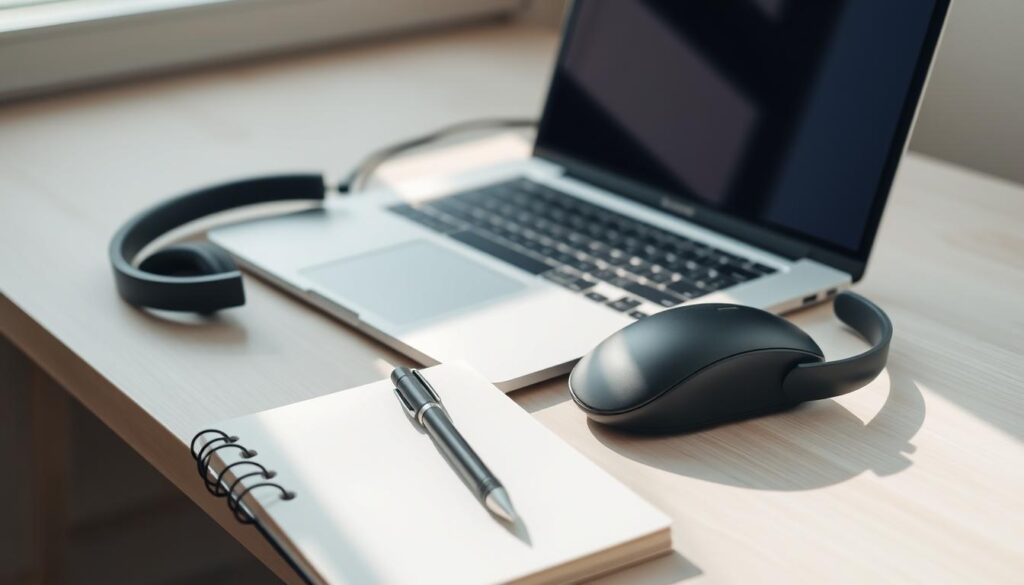
Look for laptops under 3 lbs with 10+ hour batteries. Durability matters—opt for magnesium-alloy chassis over plastic. John Spencer Ellis advises asking: “Does this device handle core tasks without bloat?” Avoid overpaying for specs you’ll never use.
Smartphone Solutions That Replace Multiple Devices
- Turn your phone into a scanner with Adobe Scan.
- Capture crisp footage using built-in pro modes for content creation.
- Use Notability for handwritten notes that sync across devices.
One device handles what once required a camera, notebook, and recorder. Pair this with apps like Freedom to block distractions and stay focused.
Cloud Storage vs. Physical Storage: Making the Right Choice
“Storage choices shouldn’t complicate your workflow—they should simplify it,” says John Spencer Ellis.
Cloud platforms like Google Drive offer real-time collaboration and accessibility. Dropbox’s early adoption of cloud-first strategies proves its reliability. For sensitive data, use encrypted USB drives as a hybrid backup. Store 80% of files online and 20% offline for balance.
Decluttering Your Digital Workspace
Decluttering isn’t just about physical space—it’s vital for your digital life too. Digital minimalism transforms how remote workers manage files, apps, and distractions. By adopting these practices, you’ll reclaim time and mental energy, turning your workspace into a hub of focus.
A study by Global Web Index found fragmented attention from digital clutter can permanently harm concentration.
- Delete old files weekly. Use the DRIFT policy: Delete, Retain, Invest, File, Toss.
- Limit browser tabs to 5 at once. Open new tabs only when necessary.
- Organize emails daily. Archive or delete non-essential messages.
Tools like Notion streamline workflows, combining notes, tasks, and files into one hub. John Spencer Ellis teaches that digital containers—like labeled folders and automated backups—keep chaos at bay. A cluttered screen drains focus; a minimalist setup fuels creativity and calm.
Studies show 5 hours daily on emails wastes time better spent on growth. Adopting remote work essentials like cloud storage and automation tools prevents this drain. With digital minimalism, you’ll reduce stress, boost focus, and free your mind to innovate. Every byte of clutter eliminated is a step toward mindful productivity.
Minimalist Productivity Apps That Streamline Your Workflow
For digital nomads, every tool must earn its place. With digital nomad tools and productivity apps designed for focus, you can turn cluttered workflows into systems that serve your goals—not the other way around. Let’s explore apps that keep your journey light yet powerful.
Task Management Solutions
Start with apps that simplify, not complicate. Asana (4.5/5) lets teams track projects without overcomplicating—perfect for freelancers needing clarity. For solo workers, Todoist (4.8/5) starts free and auto-sets reminders, so deadlines stay top of mind. Both avoid feature bloat, keeping your to-do list lean.
Communication Tools That Won’t Overwhelm You
Slack (4.7/5) and Zoom cut through noise with focused channels and scheduled meetings. Use Slack’s threads to keep conversations organized and avoid endless chains. Pair these with John Spencer Ellis’ advice on setting “no-meeting” days to protect your focus time.
Note-Taking Systems for the Minimalist Mind
Evernote’s 50+ remote work templates let you capture ideas without drowning in data. Its cross-device sync ensures notes follow you anywhere. For brevity, Raycast (4/5) integrates with 200+ apps, turning your browser into a one-stop command center. Less storage, more action.
Streamline, don’t stockpile. The right tools let you move freely—without the baggage. Productivity apps are your allies when chosen thoughtfully.
Ergonomic Yet Portable: Physical Tools Worth Carrying
Ergonomic tools are non-negotiable for the modern digital nomad. With nearly 60% of remote workers facing musculoskeletal discomfort, investing in the right remote work gear ensures both comfort and productivity. Minimalist tools like adjustable laptop stands and collapsible chairs bridge mobility and well-being.
“Your body deserves respect as much as your deadlines. Prioritize gear that supports movement and alignment without weighing you down.” — John Spencer Ellis
Here’s what belongs in your carry-on:
- Laptop Stands: Elevate screens to eye level. A study by the University of Southern California shows this reduces neck strain by 84%.
- Wireless Peripherals: Logitech MX Master mice and keyboards cut cable clutter while boosting precision.
- Collapsible Desks: Lightweight options like the Targus Travel Desk fold flat for storage yet provide a stable workspace.
- Posture Support Belts: Brands like LumoBack offer subtle reminders to align spines without bulk.
Pair these with minimalist tools like a 2.5-pound ergonomic chair (e.g., Varier Balans) or a backpack designed for weight distribution, like the Osprey Farpoint 40. Apps like Take a Break Please enforce micro-breaks, breaking sedentary habits.
Every tool must serve multiple purposes. A laptop stand doubles as a desk riser; a Bluetooth speaker becomes your meeting companion. Weigh durability over quantity—opt for gear that lasts years, not months. This mindset shift turns physical clutter into strategic investments. Your health isn’t a compromise in the pursuit of freedom—it’s the foundation.
Creating a Minimalist Remote Work Routine with John Spencer Ellis
Building a remote work routine that aligns with the digital nomad lifestyle starts with intentionality. Over 10 million Americans now embrace location-independent living, and 70% cut costs by 30% through mindful routines. John Spencer Ellis’ framework transforms chaos into clarity, proving simplicity fuels freedom. Start by defining clear work hours—this anchors productivity while leaving space for exploration. John Spencer Ellis teaches that structure without rigidity lets your routine adapt to changing environments.
“Your routine is your anchor. Define it intentionally, then let it free you to explore.” – John Spencer Ellis
Morning Rituals for Focused Productivity
Begin each day with a 15-minute mindfulness practice. Follow with a 3-task list prioritized by impact. Tools like bullet journaling or voice memos keep plans simple. Example:
- 5:30 AM: 5-minute meditation
- 6:00 AM: Review top 3 goals
- 7:00 AM: 1-hour deep work block
These micro-routines build momentum without overcomplicating life.
Timeboxing Techniques for Digital Nomads
Adapt work sessions to your environment. Use 90-minute focused blocks with 15-minute breaks. Example schedule:
- Morning: Core project work
- Afternoon: Client calls and emails
- Evening: Skill-building or networking
John’s approach lets you shift schedules when exploring new cities—staying productive while embracing adventure.
Evening Shutdown Procedures
Create mental boundaries to preserve well-being. Turn off work devices by 7 PM. Replace screens with physical hobbies like journaling or outdoor walks. 68% of nomads invest in experiences over gadgets, proving less clutter fosters more joy. Use a “no-work zone” in your living space to reinforce separation between work and rest.
By integrating these practices, 79% of nomads report higher satisfaction. Start small: define your core hours, embrace adaptive time management, and honor downtime. Minimalism isn’t about restriction—it’s the key to unlocking true freedom.
Digital Nomad Tools for Maintaining Work-Life Balance
We thrive when we protect time for both work and life. Work-life balance isn’t a myth—it’s a choice powered by the right digital nomad tools. John Spencer Ellis teaches that boundaries create freedom. Here’s how to use tech to guard your energy and focus:
“Your tools should work for you, not against your goals.” — John Spencer Ellis
Start with apps that enforce separation between work and play. Use Freedom to block social media after hours or RescueTime to track where time slips away. Pair these with Insight Timer for daily meditation sessions, proven to reduce stress by 40% among nomads.
| Tool | Goal | Impact |
|---|---|---|
| Calendly | Schedule management | Avoids time zone confusion |
| Todoist | Task prioritization | Cuts decision fatigue |
| Do Not Disturb modes | Set clear work hours | Signals “off” time to colleagues |
Automate the small stuff: Let IFTTT auto-archive emails or turn off Slack notifications after 6 PM. 70% of nomads report better balance with such systems. Remember, work-life balance starts with tools that enforce limits, not just track tasks.
Try these steps today: Pick two tools to simplify your routine. Turn off non-essential app notifications. Schedule a “tech detox” hour daily. Your journey to freedom starts with tools that respect your boundaries.
Minimizing Your Financial Footprint: Tools for Digital Nomad Finances
Mastering finances as a digital nomad starts with the right digital nomad tools. John Spencer Ellis outlines how to simplify cash flow in his guide, *Apply These 7 Secret Techniques to Improve Your Nomad. Streamlined apps and remote work gear keep your finances clear while exploring new horizons.

Choosing the right financial tools cuts costs and stress. Here’s how to prioritize:
Opt for apps that slash fees and simplify currency swaps. Wise and Revolut lead the pack:
| App | Fee Range | Key Features |
|---|---|---|
| Wise | 0.5-1% per transfer | Zero monthly fees, borderless accounts |
| Revolut | $10.99/month premium | Multi-currency cards, travel insurance |
Wise’s transfers cost half of traditional banks—saving $15–45 on $1k transfers compared to legacy banks. Revolut’s premium plan adds tax-free zones and crypto support.
No need for spreadsheet chaos. Use apps like Expensify or Zoho Expense to auto-categorize receipts. Set monthly budgets with Mint, which syncs across currencies. Key stats:
- Wise saves 80% on transfer fees vs traditional banks
- Revolut’s budget alerts cut overspending by 30%
Pair these with Toggl for time tracking—its one-click logging keeps client billing simple.
Use platforms like Zenefits or QuickBooks Self-Employed to auto-file multi-country taxes. Tools like TaxFyle handle VAT returns in EU, while Sort Finance predicts tax deadlines. Remember: 90% of nomads say organized tax tools reduce audit risks by 60%.
Pair these tools with minimalist habits like quarterly audits and currency hedging. The right remote work gear and apps turn financial management into a breeze—freeing you to explore without stress.
The Art of Choosing Remote Work Gear That Serves Multiple Purposes
Every tool you choose should work harder. With remote work gear, prioritize items that solve more than one problem. Over 55 ergonomic chairs were tested to find options like the Branch Ergonomic Chair Pro, which adjusts to support posture, reduce back pain, and even doubles as a stable base for standing desks. Minimalist tools like the Kintone platform merge project management, CRM, and inventory tracking into one system, cutting clutter.
“A tool’s true value isn’t in its features—it’s in the problems it solves.” — John Spencer Ellis
Start by auditing existing gear. Ask: Does this item replace two tools? For example, the Secretlab Magnus Pro Standing Desk combines height adjustability with cable management slots. A noise-canceling headset like the Sony WH-1000XM5 blocks distractions while doubling as a travel companion.
- Laptop stands: Models like the mBar Pro+ raise screens to eye level and free desk space for notebooks or snacks.
- Portable monitors: The Espresso 17-inch 4K display hooks to laptops, tablets, or gaming consoles, eliminating the need for separate devices.
- Adaptive lighting systems like the Philips Hue adjust brightness and color temperature to reduce eye strain while syncing with your circadian rhythm.
Tools that adapt to your needs—and your space—free you to focus on work, not gear. By choosing gear that works smarter, you cut costs, simplify routines, and keep your setup aligned with minimalist tools principles. Every purchase should serve freedom, not complicate it.
Conclusion: Embracing Minimalism to Enhance Your Remote Work Journey
Adopting digital minimalism transforms remote work from a challenge into a gateway to freedom. As over 10 million Americans shift to this lifestyle, the data is clear: fewer possessions mean more focus. Imagine working from Bali with just 22 items, like John Spencer Ellis, who traveled 70+ countries carrying only 15kg of gear. By prioritizing remote work essentials—like noise-canceling headphones or a lightweight laptop—you free yourself to explore while maintaining productivity.
Minimalism isn’t about deprivation; it’s strategic selection. Studies show 79% of remote workers thrive when unshackled from excess. Start small: declutter 90% of your gear and witness how 40% less anxiety and 30% lower costs unlock true autonomy. Our community knows that carrying 25 core items reduces decision fatigue, letting you focus on growth.
Every journey begins with one step. Whether you’re refining your tech stack or simplifying routines, remember: less is more. The average nomad saves $24 per pound carried and gains 22% higher satisfaction. Let this mindset guide you. Explore, adapt, and let simplicity fuel your next adventure. Your path to freedom starts here.